
Avoid Payment Errors with QuickBooks Time Tracking Setup
Payment errors usually don’t come from pricing. They come from bad data. Wrong hours, missing entries, or duplicate logs lead to incorrect invoices. That creates delays, disputes, and lost trust with clients.
Using time-tracking software with QuickBooks Integration helps address this by keeping your work data and billing aligned.
Where Payment Errors Actually Start
Most freelancers assume invoicing is the issue. It’s not.
The problem starts earlier in the workflow.
Time entries are logged inconsistently daily
Billable hours not marked properly
Duplicate entries across multiple projects
Client details entered incorrectly
Data edited after invoice creation
Once this data reaches QuickBooks, the errors show up in payments.
What a Clean Payment Flow Looks Like
Before fixing anything, understand the ideal flow.
Time was tracked accurately during work
Entries tagged correctly as billable
Data synced into QuickBooks cleanly
The invoice reflects the exact tracked hours
Payment matches the expected amount
If one step breaks, payment errors follow.
How Integration Helps Prevent Payment Issues
Connecting tools is not just about syncing. It’s about reducing mistakes.
1. Accurate Billable Hour Tracking
Clear tagging for billable hours
No confusion between work types
Consistent logging across all projects
2. Consistent Client and Project Data
Same client names across tools
Matching project structures maintained
No duplicate records created
3. Real Time Data Sync
Updates reflect without manual input
No outdated time entries used
Reduced chances of missed hours
4. Reduced Manual Editing
Less need to adjust invoices
Fewer chances of human mistakes
Data stays consistent across systems
5. Clear Visibility Before Billing
Review entries before invoice creation
Spot errors before sending invoices
Ensure totals match tracked time
This is where time tracking software for freelancers becomes useful. It keeps data clean before it reaches billing.
Comparison of Error-Prone vs Clean Setup
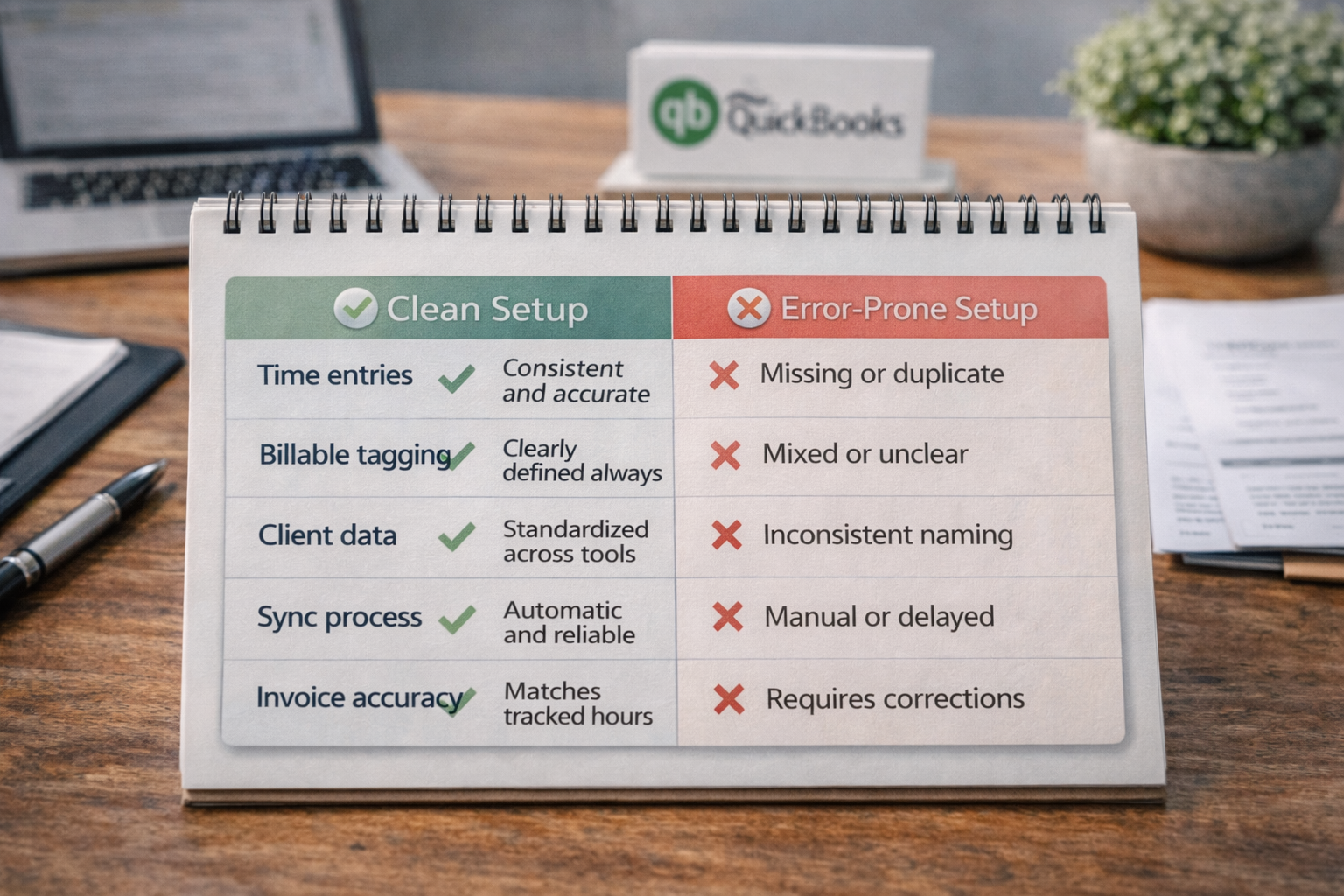
Area | Clean Setup | Error-Prone Setup |
|---|---|---|
Time entries | Consistent and accurate | Missing or duplicate |
Billable tagging | Clearly defined always | Mixed or unclear |
Client data | Standardized across tools | Inconsistent naming |
Sync process | Automatic and reliable | Manual or delayed |
Invoice accuracy | Matches tracked hours | Requires corrections |
Common Mistakes That Lead to Payment Issues
Even with tools, mistakes still happen.
Logging time after work is done
Mixing billable and non-billable tasks
Using different client names across tools
Syncing incomplete or unchecked data
Editing invoices instead of the source data
Fix the source, not the invoice.
When This Setup Matters Most
You will notice the biggest difference when:
You work with multiple clients weekly
You bill hourly instead of fixed pricing
You handle several projects at once
You rely on QuickBooks for records
This is where time tracking software with QuickBooks Integration keeps your payments accurate and predictable.
Frequently Asked Questions
Why do freelancers often face payment errors?
Because time tracking and invoicing are disconnected. When data is inconsistent, invoices reflect incorrect hours.
Does QuickBooks fix time tracking errors automatically?
No. It only uses the data provided. If time entries are wrong, invoices will also be wrong.
How often should freelancers review time entries?
Daily or before syncing. This helps catch errors early.
Can integration remove all payment errors?
It reduces most errors, but accuracy still depends on how time is tracked.
What is the biggest mistake freelancers make?
Relying on memory instead of tracking time consistently during work.
Related Posts

Best Time Tracking Tools for Faster Freelancer Invoicing
Find the best time tracking software for freelancers that helps create invoices faster, reduce manual work, and improve billing accuracy with simple workflows.
Choose Time Tracking Software That Syncs with QuickBooks
Choose time tracking software with QuickBooks integration that keeps data accurate, avoids sync issues, and protects your workflow.