
How Time Tracking Software Automates HR Tasks Without Stress
Most teams reject tracking tools for one simple reason. They feel watched. That is where many companies get it wrong. Time tracking software is not meant to monitor people. It is meant to simplify work, especially for HR teams handling repetitive tasks every day.
When used correctly, it removes manual work without creating pressure.
Where Time Tracking Breaks HR Bottlenecks
Most HR delays are not because of workload. They happen because information is scattered. Think about:
Payroll is waiting on timesheets
Managers are sending late approvals
HR is chasing missing data
Time-tracking software fixes this by creating a single flow.
Where Time Tracking Software Actually Helps
1. Automated Attendance Tracking
No need for manual logs. Time tracking software records:
Login and logout times
Work hours per day
Break durations
This reduces errors and saves time
2. Simplified Payroll Support
Payroll becomes easier when work hours are already tracked. With time tracking software:
Work hours are calculated automatically
Overtime is easier to track
Reports are ready for payroll processing
This reduces last-minute confusion.
3. Accurate Reporting Without Extra Effort
HR teams often spend hours building reports. Time Tracking Software for SMEs helps generate:
Weekly work reports
Team productivity insights
Project level time breakdown
All without manual work.
4. Leave and Time Off Tracking
Instead of emails and spreadsheets:
Employees log leave in one place
HR can see availability instantly
Team planning becomes easier
How to Use It Without Making Employees Feel Watched
This is where most companies fail. It is not about the tool. It is about how you introduce it.
Keep It Transparent
Tell your team:
What is being tracked
Why it is being tracked
How the data will be used
Clarity removes doubt.
Focus on Work, Not People
Use time tracking software to:
Improve processes
Identify delays
Plan better
Avoid using it to judge individuals.
Avoid Over Tracking
Do not track every second. Start with:
Task level tracking
Project level tracking
Keep it simple.
Share Insights With the Team
When employees see benefits like:
Better workload balance
Fewer unnecessary meetings
Clear deadlines
They stop resisting the tool.
HR Impact With and Without Time Tracking
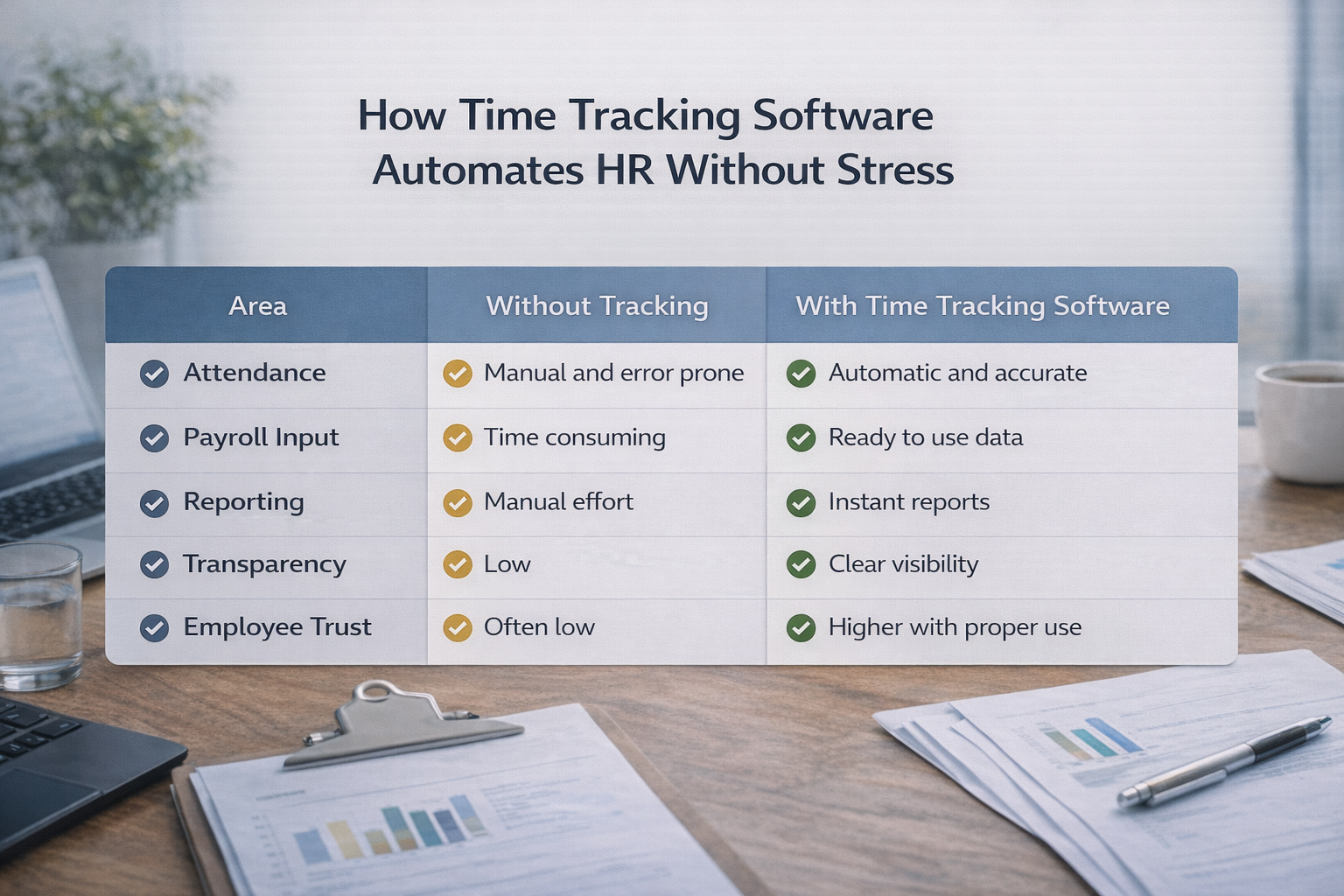
Area | Without Tracking | With Time Tracking Software |
Attendance | Manual and error-prone | Automatic and accurate |
Payroll Input | Time consuming | Ready to use data |
Reporting | Manual effort | Instant reports |
Transparency | Low | Clear visibility |
Employee Trust | Often low | Higher with proper use |
Why SMEs Benefit More From This Approach
Large companies have dedicated HR systems. SMEs usually rely on manual processes. Time Tracking Software for Small and Medium Businesses helps:
Reduce HR workload without hiring more people
Keep processes simple and structured
Improve accuracy without complex tools
For small teams, even saving a few hours each week makes a difference.
When Should You Start Using Time Tracking Software
Most teams wait too long. You should start when:
Deadlines start slipping
Workload feels uneven
You keep asking, “Where did the time go?”
HR or managers spend too much time chasing updates
You do not need a perfect system to start. You just need a simple way to track what matters.
Frequently Asked Questions
Does time tracking software feel like surveillance?
It can, if used incorrectly. When used for process improvement and not monitoring individuals, it feels helpful instead of intrusive.
Can time tracking software automate payroll?
Yes. It provides accurate work hour data that makes payroll calculations faster and more reliable.
Is time tracking software suitable for small teams?
Yes. Time Tracking Software for SMEs is designed to simplify HR processes without adding complexity.
How do employees react to time tracking?
Many discussions on Reddit and Quora show that employees accept it when it reduces workload and is not used for micromanagement.
What should HR track and what should they avoid?
Track work hours and tasks. Avoid tracking personal activity or unnecessary details that do not improve workflow.
Related Posts
Best Time Tracking Tools for Faster Freelancer Invoicing
Find the best time tracking software for freelancers that helps create invoices faster, reduce manual work, and improve billing accuracy with simple workflows.
Choose Time Tracking Software That Syncs with QuickBooks
Choose time tracking software with QuickBooks integration that keeps data accurate, avoids sync issues, and protects your workflow.