
Choose Time Tracking Software That Syncs with QuickBooks
Most tools claim QuickBooks integration. That’s not the problem. The real problem is what happens after you connect it.
Data doesn’t match. Entries go missing. Your workflow slows down because you no longer trust the numbers. The goal here is not to speed up invoicing. It’s about making sure your time-tracking software with QuickBooks Integration works without disrupting your day-to-day workflow.
What “Breaking Your Workflow” Actually Means
When integration is weak, you start doing extra work outside the system.
Rechecking time entries before syncing
Fixing wrong client or project data
Recreating invoices due to mismatches
Switching between tools to verify data
Losing trust in system accuracy
That’s where most setups fail.
What a Proper Sync Setup Should Do
A good setup should feel invisible. You should not think about it.
Time data moves automatically
Client data stays perfectly mapped
Updates reflect across both systems
No manual validation required daily
Reports match across both platforms
If you notice friction, something is wrong.
Key Features That Protect Your Workflow
1. Stable Data Mapping Between Tools
This is where most issues start.
Client mapping stays consistent always
Project structure mirrors QuickBooks setup
No duplicate client or project creation
2. Controlled Sync Behaviour
You should control how data moves.
Choose sync direction and rules
Set approval before pushing data
Prevent unwanted automatic overwrites
3. Error Handling That Actually Helps
Errors will happen. What matters is how the tool handles them.
Clear error messages with the exact issue
Option to fix without breaking data
Logs to track sync history
4. Data Integrity Over Automation
Automation is useful only if data stays clean.
No forced auto invoice creation
Manual review option before syncing
No hidden changes during sync
5. Compatibility with Your Workflow Style
Not every workflow is the same.
Works for freelancers and small teams
Supports simple and complex workflows
Adapts to your existing process
This is especially important when choosing time-tracking software for freelancers who need flexibility without causing system conflicts.
Feature Comparison Focused on Workflow Safety
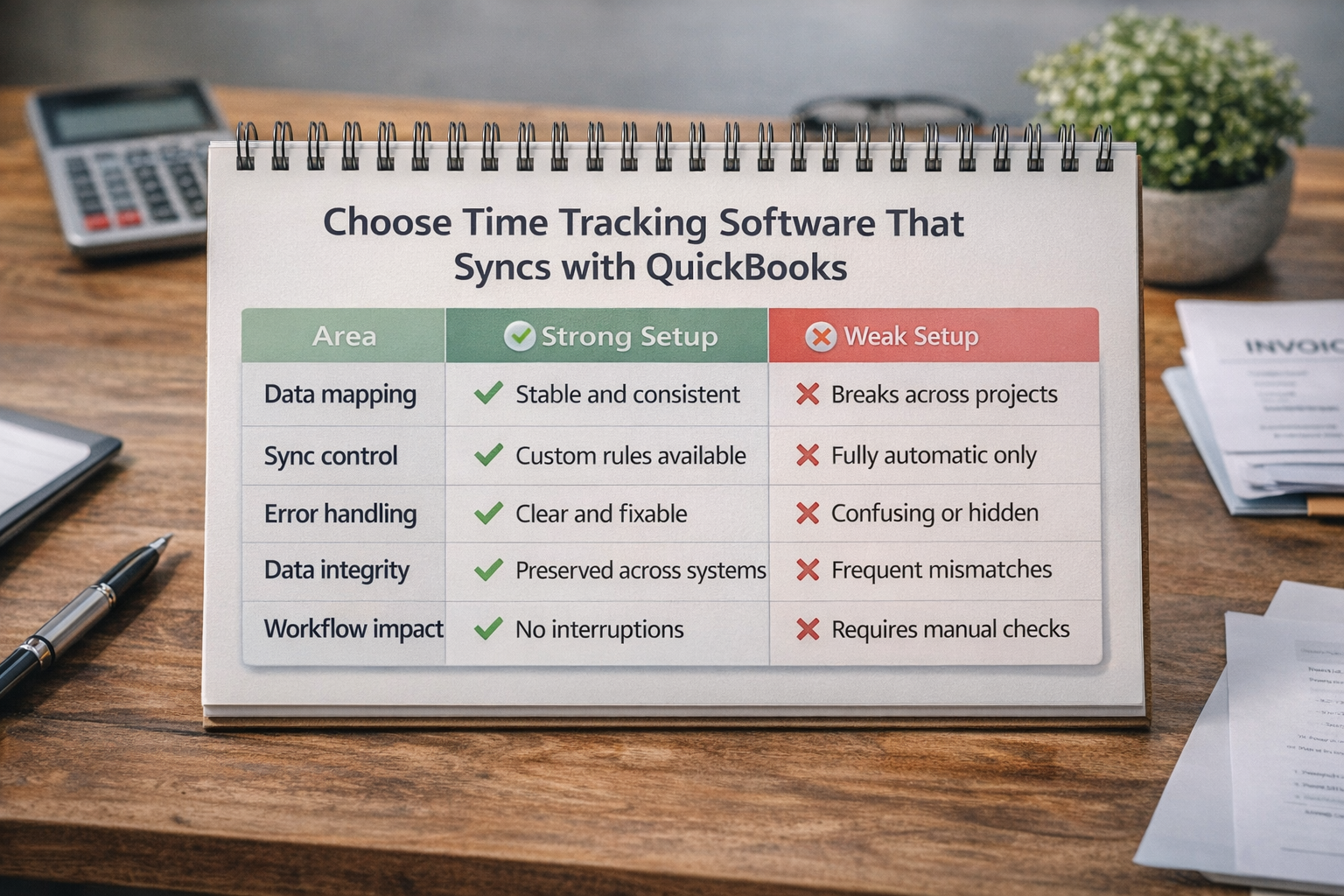
Area | Strong Setup | Weak Setup |
Data mapping | Stable and consistent | Breaks across projects |
Sync control | Custom rules available | Fully automatic only |
Error handling | Clear and fixable | Confusing or hidden |
Data integrity | Preserved across systems | Frequent mismatches |
Workflow impact | No interruptions | Requires manual checks |
Red Flags That Signal Future Problems
Sync changes data without visibility
Client or project duplication happens
No control over sync direction
Errors are unclear or hard to fix
Data mismatch between the two systems
If you see even two of these, expect workflow issues later
When This Matters Most
You need a stable setup if:
You handle multiple clients regularly
You track time across different projects
You rely on QuickBooks for reporting
You want consistent financial data
This is where time tracking software with QuickBooks Integration becomes critical. It connects your work data directly with your financial records.
Frequently Asked Questions
Why does QuickBooks integration break workflows sometimes?
Because of poor data mapping and a lack of control over sync. The tool pushes incorrect or incomplete data, which forces manual fixes.
Should syncing always be automatic?
Not always. For many freelancers, adding a review step before syncing helps prevent errors.
Can bad integration affect financial reports?
Yes. If the time data is incorrect, your invoices and reports will not match actual work.
What should freelancers prioritize in integration?
Clarity, control, and consistency. Not speed or extra features.
Is third-party integration safe to use?
It can work, but native QuickBooks integration is usually more stable and predictable.
Related Posts
Best Time Tracking Tools for Faster Freelancer Invoicing
Find the best time tracking software for freelancers that helps create invoices faster, reduce manual work, and improve billing accuracy with simple workflows.
How Time Tracking Software Automates HR Tasks Without Stress
Automate HR tasks like attendance, payroll, and reporting with time tracking software without making employees feel watched.